
Why iPhone Water Damage Repair Requires Precision & Professional Tools
Liquid damage is one of the most complex and sensitive iPhone repairs. Even small amounts of moisture can reach internal components and begin corroding metal connections within minutes. iPhones are designed with water resistance, but no device is waterproof.
Water can enter through:
- Speaker openings & Microphone holes
- USB-C or Lightning port
- SIM tray
- Cracks in the frame or screen
- Damaged back glass
Once liquid enters the housing, it can contact:
Battery terminals
Charging port contacts
Display connectors
Microchips on the logic board
Cameras and sensors
Even if the iPhone turns on after exposure, corrosion may already be spreading.
Improper handling, such as using rice, heat guns, or continued charging, can make damage worse.
What Makes Professional iPhone Water Damage Repair Different
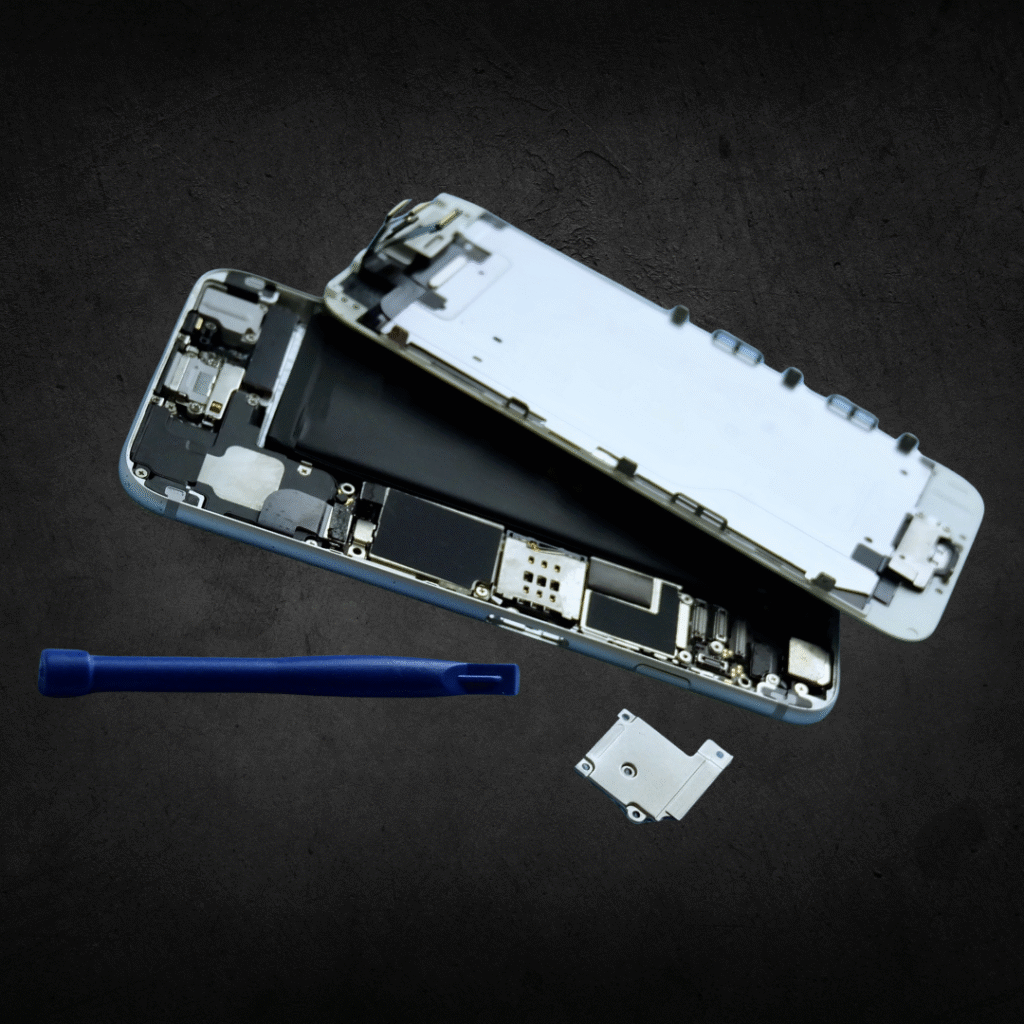
Water damage cannot be fixed with drying alone. Real repair requires a full teardown and specialized cleaning equipment.
Our iPhone water damage repair service includes:
Complete disassembly of the device
Battery removal to stop electrical shorting
Logic board inspection under magnification
Corrosion removal using micro-tools
Ultrasonic board cleaning with industry fluids
Drying and prep process at controlled temperatures
Component testing for cameras, charging, WiFi, buttons, and audio
What most DIY methods get wrong:
Rice does nothing to remove corrosion
Hair dryers and heat guns warp the screen or melt components
Keeping the device turned on causes short circuits
Alcohol baths damage coatings and sensors
We use professional-grade equipment designed specifically for electronic liquid restoration.
Full Breakdown of the Water Damage Repair Process
Water damage repair is a structured and detailed process.
Step 1: Intake Evaluation
We check:
Visible corrosion
Internal moisture indicators (LCI)
Battery integrity
Charging functionality
Screen and display behavior
Camera and microphone response
Step 2: Full Device Teardown
A proper teardown includes:
Removing the display safely to expose the internal housing
Disconnecting the battery immediately to prevent short circuits
Taking out all brackets, shields, and grounding plates
Separating the cameras, speaker modules, and Taptic Engine
Removing the logic board entirely for corrosion inspection
Checking under every cable and connector for hidden liquid
Step 3: Logic Board Treatment
The board is inspected and cleaned:
Corrosion scraped or brushed away
Problem areas isolated
Contacts stabilized
Microchips visually inspected for damage
Step 4: Ultrasonic Cleaning Process
The logic board is placed in an ultrasonic machine using a specialized cleaning solution designed for electronics.
This removes:
Hidden corrosion
Mineral deposits
Residue from liquid exposure
Contaminants under ICs
Step 5: Deep Component Testing
We test:
Charging
Touch response
Display health
Buttons
Speakers & microphones
Face ID / Touch ID
Cameras
WiFi & Bluetooth
Step 6: Component Replacement (if needed)
Commonly replaced parts include:
Charging port
Battery
Display
Cameras
Audio components
Helping Users Understand When They Need Water Damage Repair
People search for iPhone water damage repair when:
The phone fell in water
It was exposed to rain or sweat
Moisture got inside from humidity
There was a spill (coffee, soda, saltwater, etc.)
Signs of Water Damage
iPhone won’t turn on
Boot loop or stuck on Apple logo
Not charging
Screen flickering
Speakers muffled or not working
Camera fogging
Buttons not responding
Overheating
Battery draining rapidly
If any of these symptoms appear after liquid exposure, professional repair is needed.
Pricing Table
| Repair Type | Typical Price | Estimated Time |
|---|---|---|
Water Damage Diagnostic |
$49–$69 |
1–2 hours |
Ultrasonic Logic Board Cleaning |
$79–$139 |
2–12 hours |
Charging Port Replacement |
$69–$159 |
45–60 minutes |
Display Replacement |
$89–$299 |
45–60 minutes |
Camera Replacement |
$79–$189 |
45 minutes |
What Our Customers Say
"I accidentally dropped my iPhone into the sink, and it wouldn't turn on afterward. I brought it to St. Louis Phone Factory, and they carefully cleaned the internal components and repaired the water damage. My phone was working again the very next day."
"My iPhone accidentally went through the washing machine and wouldn't power on. St. Louis Phone Factory diagnosed the water damage, replaced the damaged components, and had my phone working again much sooner than I expected. Professional service and excellent communication throughout the repair."
Proudly Serving St. Louis & Nearby Communities
Our primary service area covers St. Louis, Clayton, Richmond Heights, University City, Kirkwood, Brentwood, and Maplewood.
Customers reach us easily from Downtown St. Louis, Washington University in St. Louis, Saint Louis Galleria, and Forest Park via Interstate 64 (Highway 40), Interstate 44, and Interstate 170.
We also provide pickup and drop-off assistance for local businesses, students, healthcare professionals, and residents throughout the St. Louis metro area.